REST API
To run the backend FastAPI app via uvicorn, use uvicorn directly. For example:
python -m pip install qrdm[backend]
uvicorn qrdm.backend:app --host localhost --port 8182
This will result in the app being hosted at http://localhost:8182. Swagger
documentation will be hosted at http://localhost:8182/docs if an internet connection
is available. Further options are available via uvicorn command-line configuration.
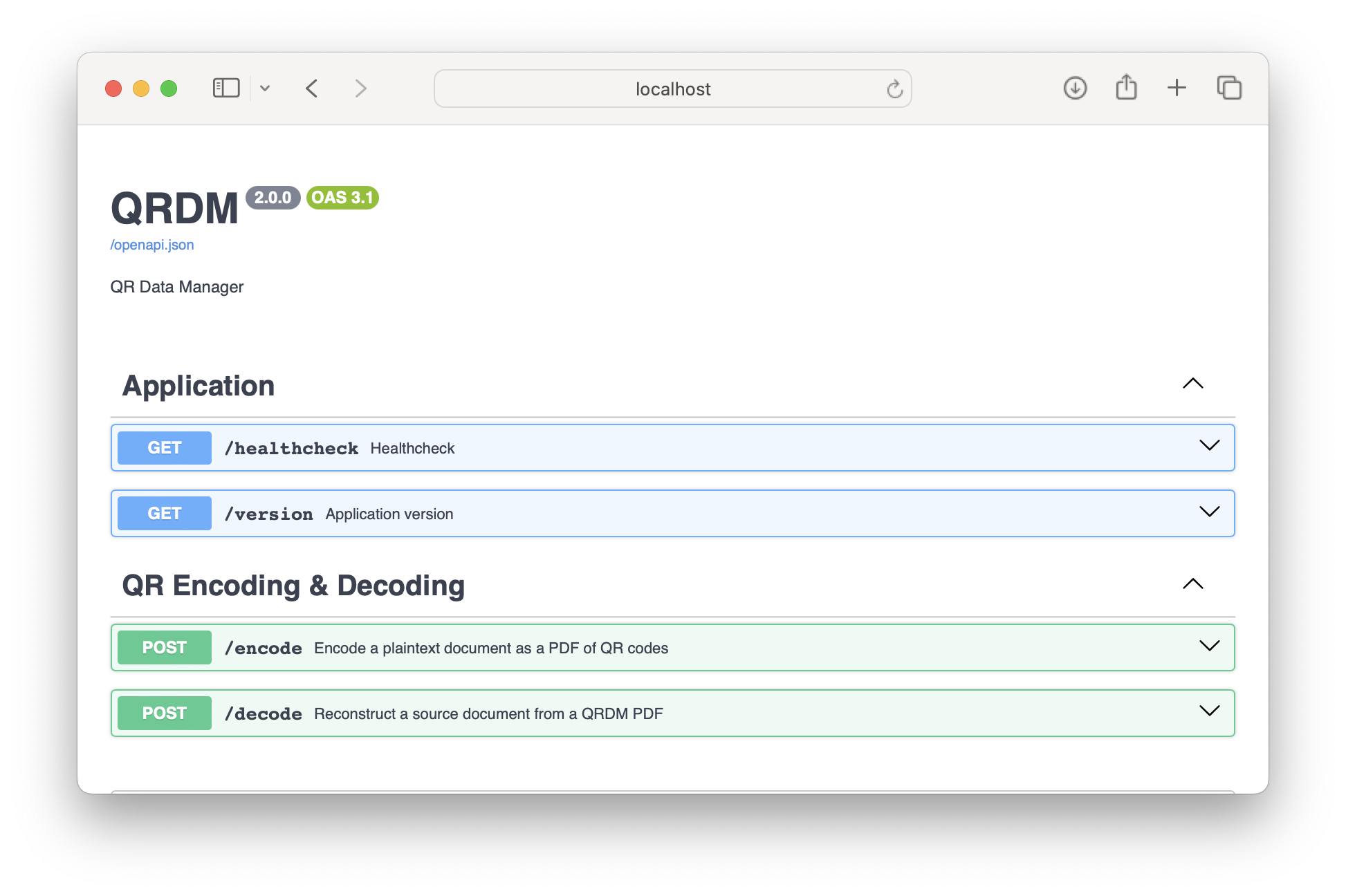
Endpoints
POST /encode
Convert a plaintext document to a PDF containing the document encoded as QR codes.
Request body schema:
documentstring <binary>, requiredFile to be QR-encoded
header_textstring, optionalText to include as header & footer of QR PDF. Defaults to
"".
metadataapplication/json, optionalText in this field will be treated as JSON, and encoded alongside the document contents in the QR PDF. Defaults to
null.
encodingstring, optionalEncoding used to decode the document file data into a string. If not provided, defaults to automatic detection via the
charset_normalizerpackage. Valid encodings can be found in the Python standard library documentation.
include_textboolean, optionalWhether to print plaintext document text underneath QR codes. Defaults to
false(opt-in for privacy).
minimal_modeboolean, optionalWhen
true, produces minimal pages containing only filename, SHA-256 hash, and page numbers. Defaults tofalse.
presetstring, optionalLayout preset:
'default'(6 codes/page),'flatbed'(12 codes/page for scanners), or'photo'(4 large codes/page with Quartile ECC for mobile cameras).
Response:
200application/pdfPDF file containing the QR-encoded document.
POST /verify
Verify a QRDM PDF document without extracting or writing files to disk.
Request body schema:
documentstring <binary>, requiredQRDM PDF file to be verified
reject_unexpected_codesboolean, optionalWhether to fail verification if non-QRDM or foreign barcodes appear on pages. Defaults to
false.
Response:
200 application/json
overallbooleanOverall verification pass/fail status
statusstringDetailed recovery status:
"recovered","partial", or"failed"
payload_validbooleanWhether QR payloads and Reed-Solomon symbols decode cleanly
hash_matchesbooleanWhether the reconstructed payload matches the document SHA-256
code_count_correctbooleanWhether all expected sequence numbers were decoded
no_unexpected_codesbooleanWhether any non-QRDM or malformed barcodes were detected
missing_codeslist[integer]List of missing sequence indices, if any
decoded_codesintegerNumber of QR codes successfully decoded
expected_codesintegerTotal expected QR codes
sha256stringVerified SHA-256 hex digest of the document
errorslist[string]Error descriptions if verification failed
POST /decode
Reconstruct a source document from a QRDM PDF.
Request body schema:
documentstring <binary>, requiredQRDM PDF file to be decoded
Response:
200 application/json
contentstringOriginal document contents
metadataapplication/jsonJSON representation of data provided to the
metadatafield of the/encodeendpoint.
Configuration
Configuration of the application is performed via environment variables, as follows:
QRDM_ERROR_TOLERANCEOne of
LOW,MEDIUM,QUARTILE,HIGHError correction level of the individual QR codes. Defaults to
MEDIUM.QRDM_ENCODE_EC_CODEStrueorfalseWhether to include additional error-correcting QR codes. These are useful when individual QR codes fail to scan. Defaults to
true.QRDM_LOG_LEVELOne of
DEBUG,INFO,WARNING,ERROR,CRITICALRestricts output logs to the specified level and higher. Defaults to
INFO, which includes log events for each encode & decode event, as well as general network request events.QRDM_JSON_LOGStrueorfalseWhen
false, logs are output to the console via stderr, with the human-centric output formatting provided bystructlog.When
true, logs are output to stdout with a single line of JSON-formatted text per log event, which can be aggregated via the applications execution environment. Structured event data is populated for each QR encode & decode event, in addition to HTTP metadata for each network request.Defaults to
false.